

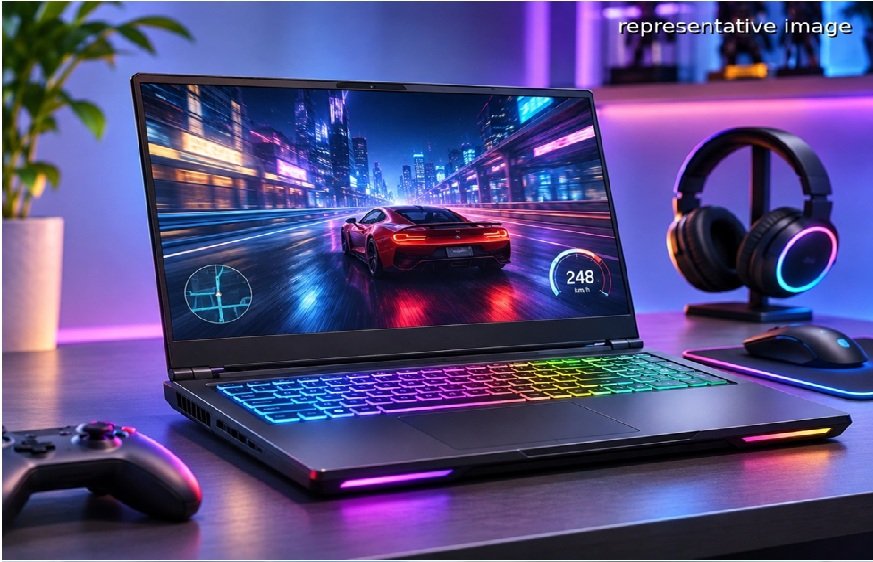
Learn how GPU, CPU, RAM, refresh rate, storage and cooling affect gaming performance, with ASUS TUF Gaming and ROG laptops to help you choose the right configuration.
If you are buying a gaming laptop, the GPU is important, but it is not the only specification that determines how well your games run. Your CPU affects processing performance, RAM helps with multitasking, refresh rate affects how smoothly motion appears, and cooling helps the laptop sustain performance during long sessions.
You can purchase your preferred laptop from brands like ASUS and more at a highly competitive price, thanks to limited-time offers and discounts at Bajaj Finance partner stores. Browse models on Bajaj Mall, compare processors, RAM, storage, graphics, and display specifications, and visit any of the 1.5 lakh+ partner stores across 4,000+ cities. With an Easy EMI Loan of up to Rs. 5 lakh and repayment tenures ranging from 3 to 60 months, you can split the cost into manageable monthly instalments. Select models also come with a zero down payment offer, reducing your payment burden.
Which gaming laptop specifications should you prioritise?
Your GPU should usually be the first specification you compare for gaming, followed by the CPU, RAM, display and cooling system.
| Specification | What it affects | What to look for |
| GPU | Game rendering and graphics | NVIDIA GeForce RTX 50 Series or higher-tier GPU |
| CPU | Game logic and overall processing | Modern high-performance Intel Core or AMD Ryzen processor |
| RAM | Multitasking and game loading | 16GB or more |
| Refresh rate | Smoothness of motion | 144Hz or higher |
| Cooling | Sustained performance | Multiple fans, heat pipes and effective exhaust |
| SSD | Game loading and storage | PCIe NVMe SSD |
The right balance matters. A powerful GPU paired with insufficient RAM or poor cooling can prevent you from getting the experience you expect from the hardware.
How important is the GPU for gaming?
The GPU, or graphics processing unit, handles much of the work involved in rendering game visuals. It has a direct impact on graphics quality, frame rates and your ability to use demanding graphical settings.
For example, the ASUS TUF Gaming 16 can be configured with an NVIDIA GeForce RTX 5070 Laptop GPU with 8GB GDDR7 memory. The model also supports a MUX Switch and NVIDIA Advanced Optimus, which can help manage the relationship between integrated and dedicated graphics.
If you mainly play esports titles, you do not necessarily need the highest-end GPU available. If you want to play demanding AAA games at higher resolutions and settings, moving up the GPU range becomes more important.
What does the CPU actually do in a gaming laptop?
The CPU handles game logic, physics, background processes and many tasks outside gaming. It can also become important when you pair a powerful GPU with a high-refresh-rate display.
The ASUS TUF Gaming F16, for example, pairs an Intel Core i7-14650HX processor with the RTX 5070 Laptop GPU. It has 16 cores and 24 threads, making it suitable for gaming alongside demanding productivity workloads.
The ROG Strix G16 moves further up the performance range with an Intel Core Ultra 9 290HX Plus processor in selected configurations. This makes the ROG range more suitable when you want high-end gaming performance alongside intensive workloads.
How much RAM do you need for gaming?
For a modern gaming laptop, 16GB RAM is a sensible starting point. It gives you enough memory for gaming while leaving room for background applications.
ASUS TUF Gaming models commonly offer 16GB configurations with upgradeable SO-DIMM memory. For example, the TUF Gaming F16 can support up to 64GB RAM in compatible configurations.
You should consider 32GB if you also use your laptop for video editing, 3D work, game development or heavy multitasking. More RAM does not automatically increase gaming frame rates, so you should prioritise the GPU first when your budget is limited.
Does a higher refresh rate make games better?
A higher refresh rate means the display can update the image more frequently. A 144Hz screen can display considerably more frames per second than a 60Hz screen when your hardware can produce those frame rates.
ASUS TUF Gaming laptops offer configurations with 144Hz and 165Hz displays. The TUF Gaming F16 with RTX 5070 uses a 16-inch 2.5K display with a 165Hz refresh rate.
ROG takes this further in selected models. The ROG Strix G16 (2026), for example, offers a 16-inch 2.5K ROG Nebula Display with a 300Hz refresh rate.
Read More: What Makes Ossisto Ideal for Small Businesses
Which ASUS gaming laptop should you choose by budget?
The ASUS TUF Gaming range makes more sense if you want strong gaming hardware without moving immediately into the premium ROG range. ROG becomes more relevant when you want higher-end graphics, faster displays or premium features.
| ASUS gaming laptop | Key configuration | Price |
| ASUS TUF Gaming 16 | Core i7-14650HX, RTX 5050, 16GB, 512GB | Rs. 1,59,990 |
| ASUS TUF Gaming F16 | Core i7-14650HX, RTX 5070, 16GB, 1TB | Rs. 2,29,990 |
| ASUS ROG Strix G16 | Core Ultra 9 290HX Plus, RTX 5070, 32GB, 1TB | Rs. 3,29,990 |
| ASUS ROG Zephyrus G16 | Core Ultra 9 285H, 32GB, OLED 240Hz | Rs. 3,59,990 |
Last updated: November 2026
Prices may vary by configuration, offer period and availability. Check the latest price and specifications before purchase.
How can the Smart Savings Calculator help?
The Smart Savings Calculator from Bajaj Finance can help you understand potential savings by considering applicable dealer, brand and scheme offers. This can be useful when comparing gaming laptops across different performance and price levels.
Why should you buy an ASUS gaming laptop with Bajaj Finance?
- Browse and compare eligible ASUS gaming laptops on Bajaj Mall.
- Visit Bajaj Finance partner stores across 4,000+ cities.
- Get an Easy EMI Loan of up to Rs. 5 lakh.
- Choose repayment tenures of up to 60 months.
- Check your loan eligibility online.
When you compare gaming laptops, start with the GPU and then check whether the CPU, RAM, display and cooling system can support it. TUF Gaming gives you a practical balance for gaming and everyday use, while ROG is better suited to you when you need higher-end graphics, faster displays and premium performance.